Sumatra File Manager
Fast, small. A file manager for Windows.
Tabs, filter, themes, compact launcher. Packed with features.
Tabs
Filter
Themes
Compact mode
Screenshots
Recycle Bin
Command palette
Can't play YouTube? Watch the MP4
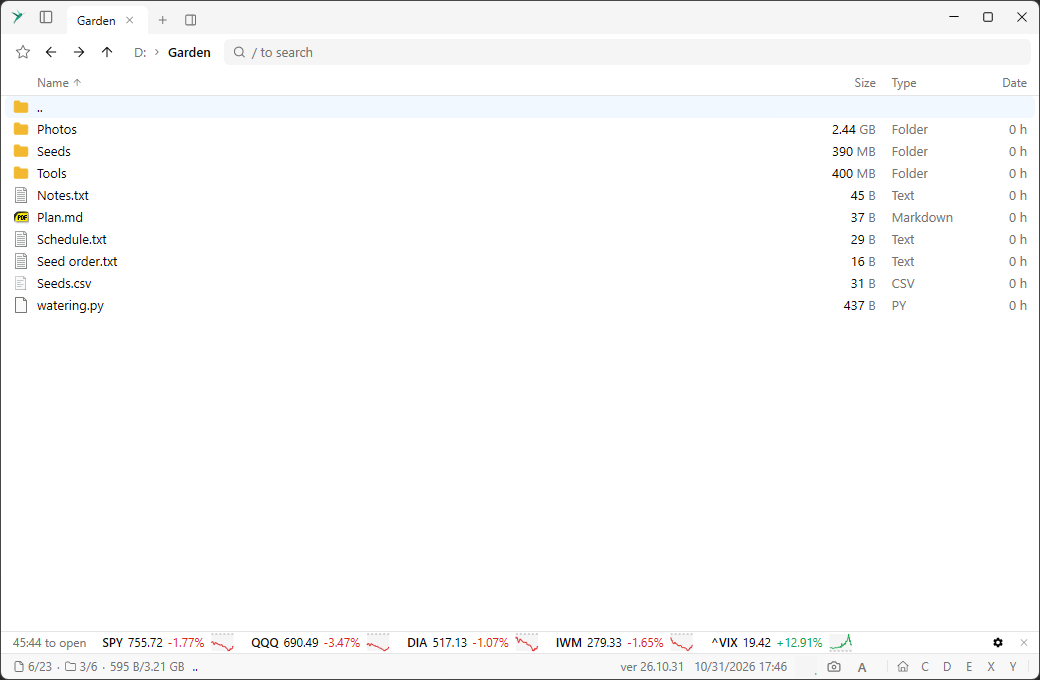
File list with file type icons, filter and status bar
Why Sumatra File Manager?
- Lightweight and fast — a native Windows app that starts instantly
- Home view — drives and Explorer Quick access folders in one place
- Compact mode — shrink the window to a launcher for Start Menu and PATH programs
- Tabs and split panes — work in several folders without extra windows
- Filter as you type — Ctrl+F to narrow the list
- Command palette — Ctrl+K to run any command
- Themes — light, dark, and a built-in theme picker
- Windows 10 and 11 — 64-bit portable .exe, no installer required
Frequently asked questions
- Do I need to install it?
- No. The download is a portable 64-bit .exe. Put it anywhere and run it.
- Is it available for Mac or Linux?
- The current release is Windows-only.
- How is this related to Sumatra PDF?
- Same author, same idea: a small, fast Windows tool without bloat.