Screenshot picker and editor
Take Screenshot opens a window with a preview of the desktop and of every open window. Pick one to edit it: drag to select an area and crop to it, resize the image, undo, then Copy it to the clipboard or Save it as a PNG.
Print Screen takes a screenshot
Print Screen opens the screenshot window from any program while Sumatra File Manager is running.Rename in place
F2 renames the selected file right in the list. Enter confirms, Esc cancels.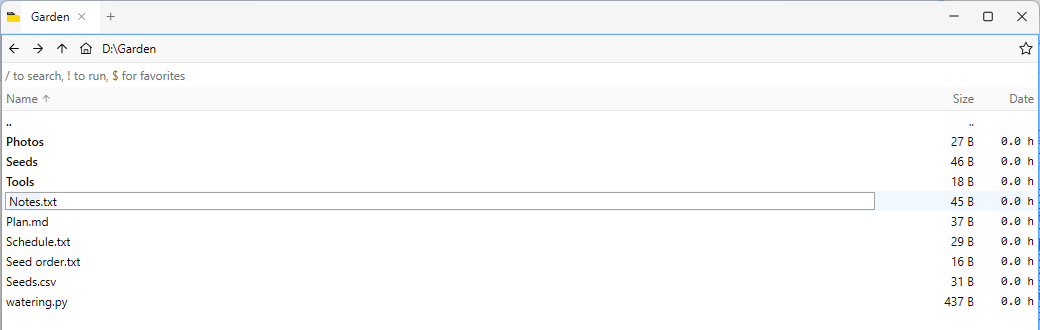
Sortable columns
Click a column header to sort by it. The first click on Size puts the biggest first, and on Date the newest first; another click reverses the order.
Filter by age
:age > 1 week or :age < 3 days in the filter box keeps files by how long ago they were changed. Units are day, week, month and year.Compact dates
The date column shows recent files in a compact form, with hours for the newest.
%PATH% as a list
Show %PATH% lists the directories on
%PATH%. The context menu copies an entry or removes it from the registry.Installed and startup programs
Show Installed Programs lists the programs registered with Windows. Show Startup Programs lists the programs that run when you sign in.
Folders in recursive search results
A recursive filter (
:r) also lists matching folders, not only files.