Recycle Bin
Recycle Bin, in the home view’s Places and in the command palette, lists deleted files. The context menu restores a file, deletes it permanently, or empties the bin. These run in the background with a progress row and Cancel.
Environment variables
Show Environment Variables, in the home view’s Places and in the command palette, lists every environment variable with its value. The context menu copies the name or the value.
Copy and move progress
Copying or moving files shows a progress row above the status bar: bytes copied out of the total, a bar for the whole operation and one for the current file, and a Cancel link. Several copies can run at once, each with its own row. When one finishes, every tab and window showing the source or destination folder refreshes.
Delete with progress and cancel
Delete moves files to the Recycle Bin with a progress row in the window and a Cancel link, instead of the Windows dialog.Split pane commands
The command palette has Split pane, split: down, up, right and left. Each splits the current pane.
Tab and Shift + Tab move the focus to the next or previous pane.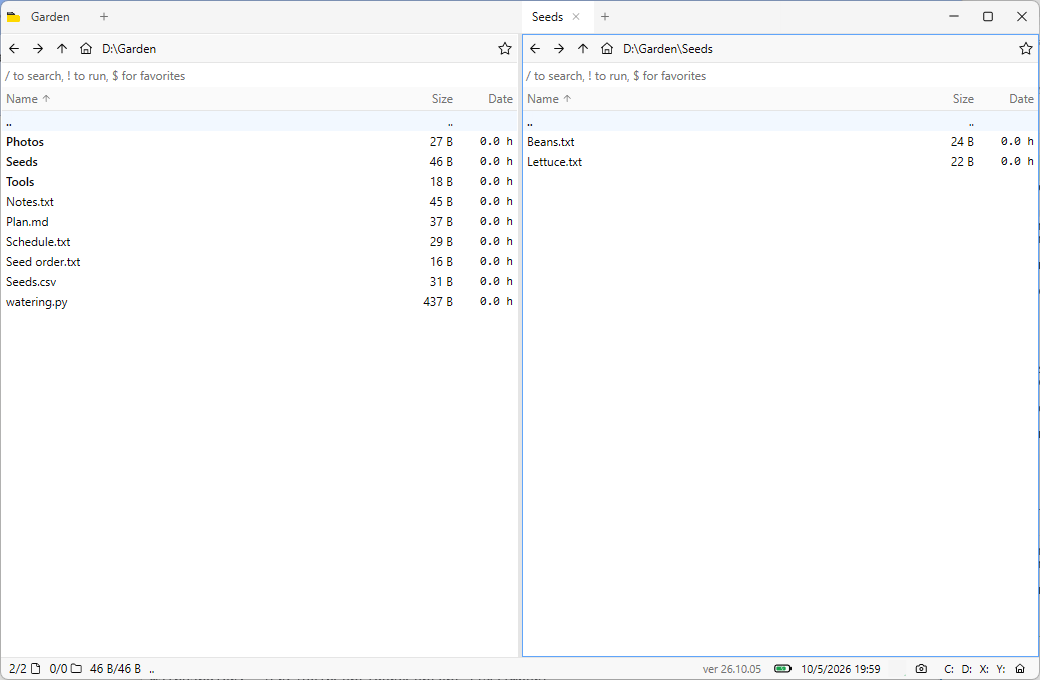
Window position and layout are remembered
On exit the window position, the tabs and the split panes are saved, and restored on the next start. Starting with a folder on the command line opens that folder instead.
Dragging part of a selection
Ctrl or Shift dragging one of several selected files drags the whole selection.