Disk tree
Toggle Disk Tree (
Ctrl + Shift + D) replaces the list with a treemap of the folder, so you can see what takes up the space. It works on every file system and follows the pane: zooming in or out goes to that folder.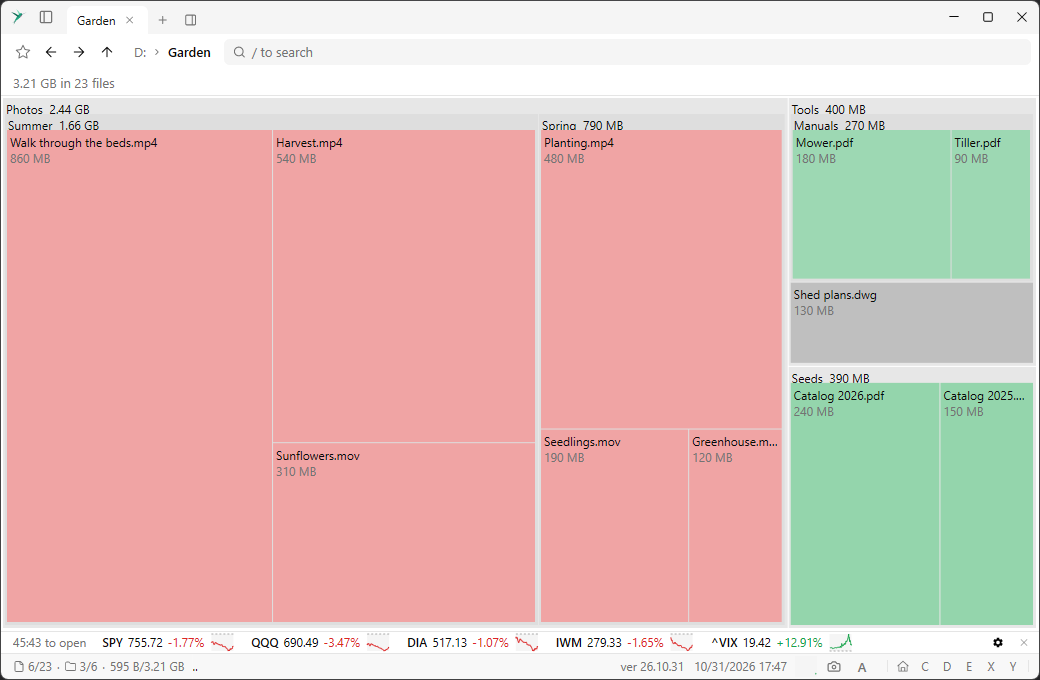
Stock quotes
A row above the status bar shows stock quotes with a small graph of today’s price, refreshed every 5 minutes during market hours. It starts with the main indices. The close button or Toggle Stock Quotes hides it.

Relaunch as admin
Relaunch Elevated, also found by typing “Relaunch as admin” in the command palette, starts the app again with administrator rights.
Icons in the status bar
The status bar shows file and folder icons instead of the words “files” and “folders”.