Terminal tabs
Open Terminal (
Ctrl + `), or Open terminal here in the context menu, opens a tab with a shell in the current folder: PowerShell 7, else Windows PowerShell, or the command line in the TerminalShell setting. It has its own terminal emulator, with colors, scrollback and full-screen programs that use the mouse and the wheel. Ctrl + Shift + C and Ctrl + Shift + V copy and paste, and so does a right click.Clean PC
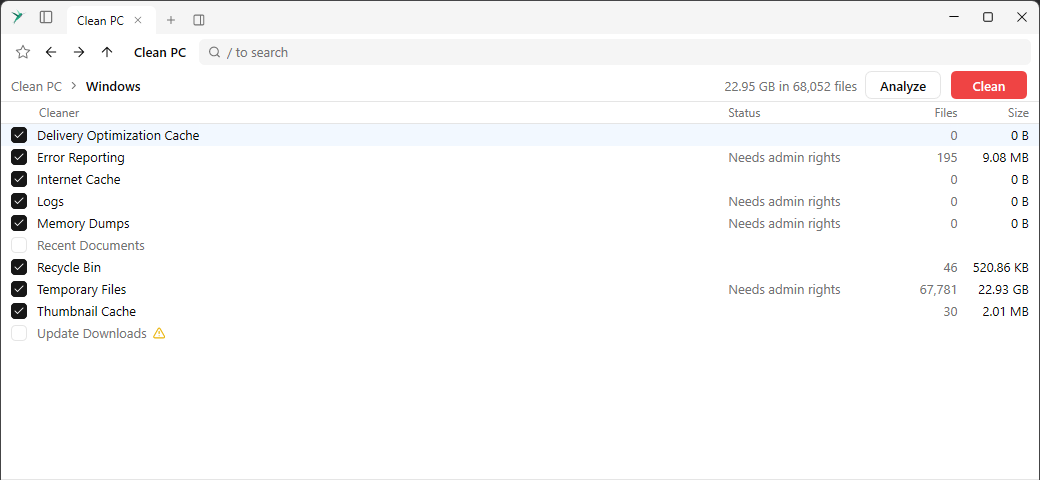
Clean PC, in the home view’s Places and in the command palette, lists cleaners by category for what is installed: Windows junk, the Recycle Bin, Chromium browsers, Firefox and developer caches. Enter a category to see its cleaners, and a cleaner to see the files it found. Analyze lists what the checked cleaners would delete, and Clean deletes it after asking. Get winapp2.ini adds about 4,000 more cleaners.
Global hotkey for compact mode
Ctrl + Alt + Space brings the file manager to the front in compact mode from any program, ready to type a program’s name. Pressed again while it is in front, it minimizes the window. The CompactModeHotkey setting changes the key, or turns it off when empty.Play sound files in the preview
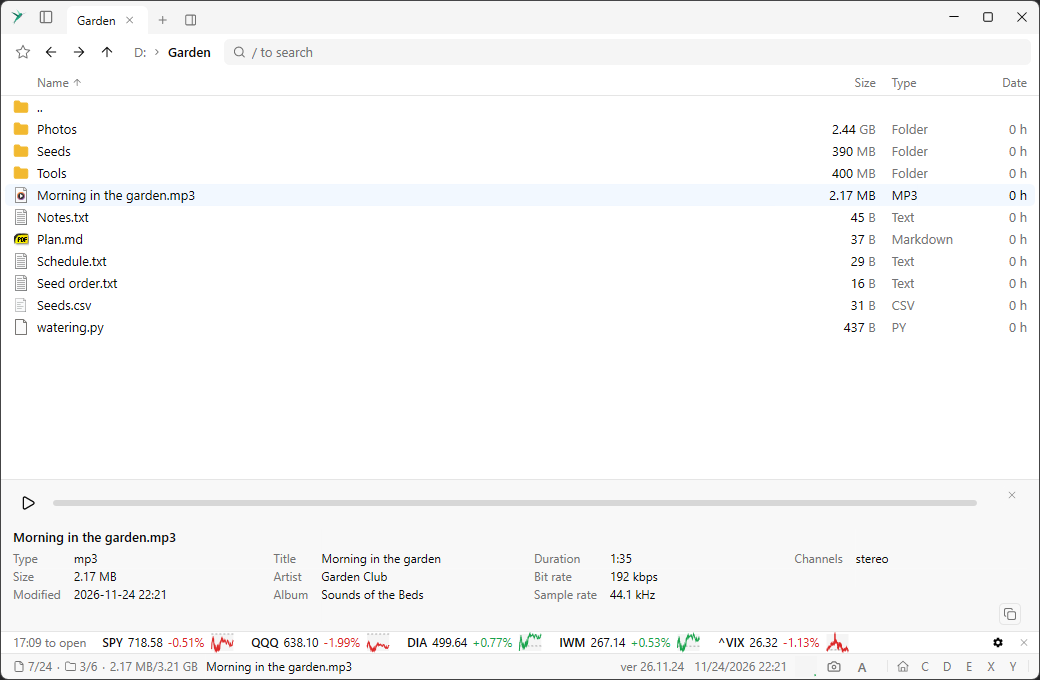
The preview of a sound file plays it, with play / pause, a bar to move around in it and the time, above its title, artist, album, duration, bit rate, sample rate and channels. It plays what Windows has codecs for: MP3, WAV, WMA, AAC, FLAC, ALAC, and Ogg and Opus with Microsoft’s extensions.
Text tabs notice changed files and recover unsaved edits
A text tab reads its file again when another program changes it. If you have edited it, a bar offers to Reload or keep your edits, and a deleted file gets a bar saying that saving writes it again. Unsaved edits are kept in a recovery copy, so after a crash they come back on the next start.

Copy progress on the taskbar
The taskbar button shows the progress of copies, moves and deletes. It is paused while a copy asks about a file that is already there, and red when a file failed. While a copy, a long operation such as Clean PC or a disk scan, or a torrent runs, the computer doesn’t go to sleep.
Jump list
Right-clicking the taskbar button shows New Window, Clean PC and Processes, and your favorite folders.
Passwords encrypted in the settings file
S3 secret keys, SFTP passwords and key passphrases, Put.io tokens, Pixeldrain API keys and authenticator secrets are stored in
settings.txt encrypted for your Windows account, so a copy of the file reveals nothing.Network drives refresh
A folder on a network or removable drive is checked every 3 seconds and refreshed when something in it changes, without holding up the window.