Processes
Processes, in the home view’s Places and as Show Processes in the command palette, is a simple task manager: name, PID, CPU, memory, disk read, disk write and threads, updated in place. The preview panel shows the details of a process. The context menu ends, suspends or resumes it, opens its file location and pins it to the top of the list. Filter with
:cpu > 5, :mem > 500mb or :pid 1234.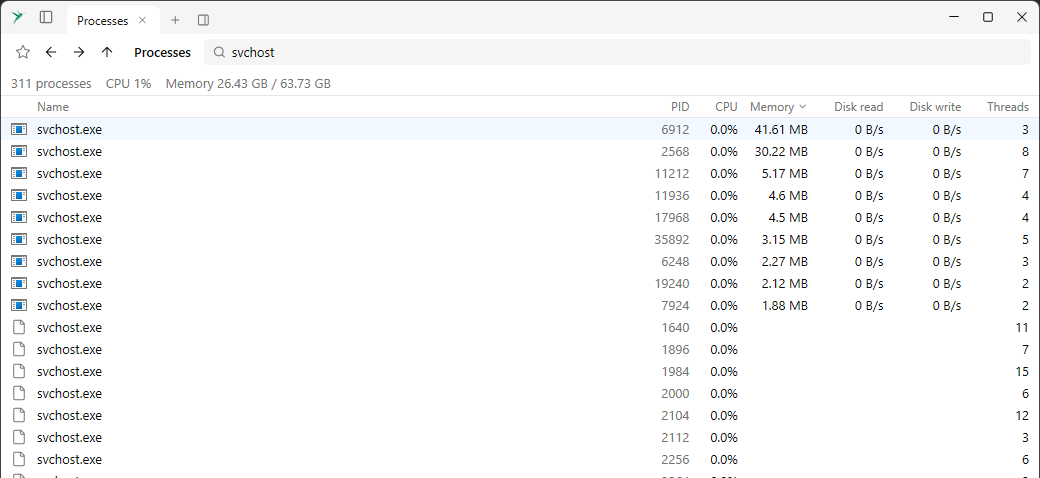
Connections
Connections, in Places and as Show Connections in the command palette, lists open TCP and UDP endpoints with their program, local and remote address, protocol and state. Remote addresses show their host name. The context menu has Go to process, Kill process, and hides connections by protocol or process. Filter with
:proto, :state, :port or :pid.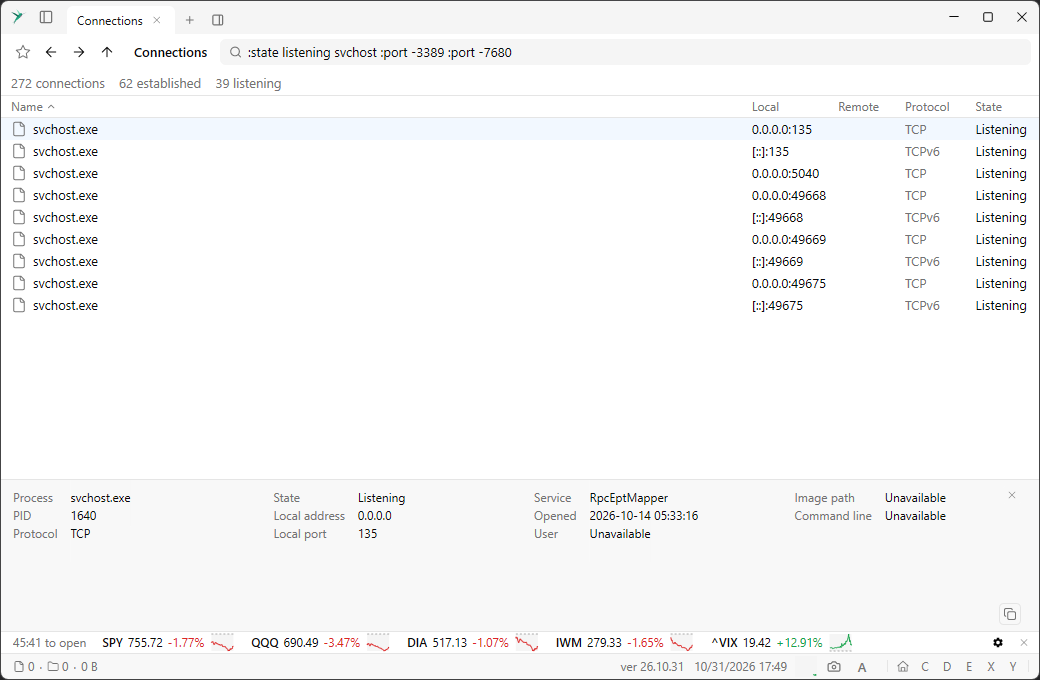
Winget
Winget, in Places and as Show Winget in the command palette, lists the packages in winget’s catalog, read from its own files, with packages that have an upgrade first. Upgrade in the context menu runs the upgrade. Filter with
:status installed, :status upgradable or :tag editor.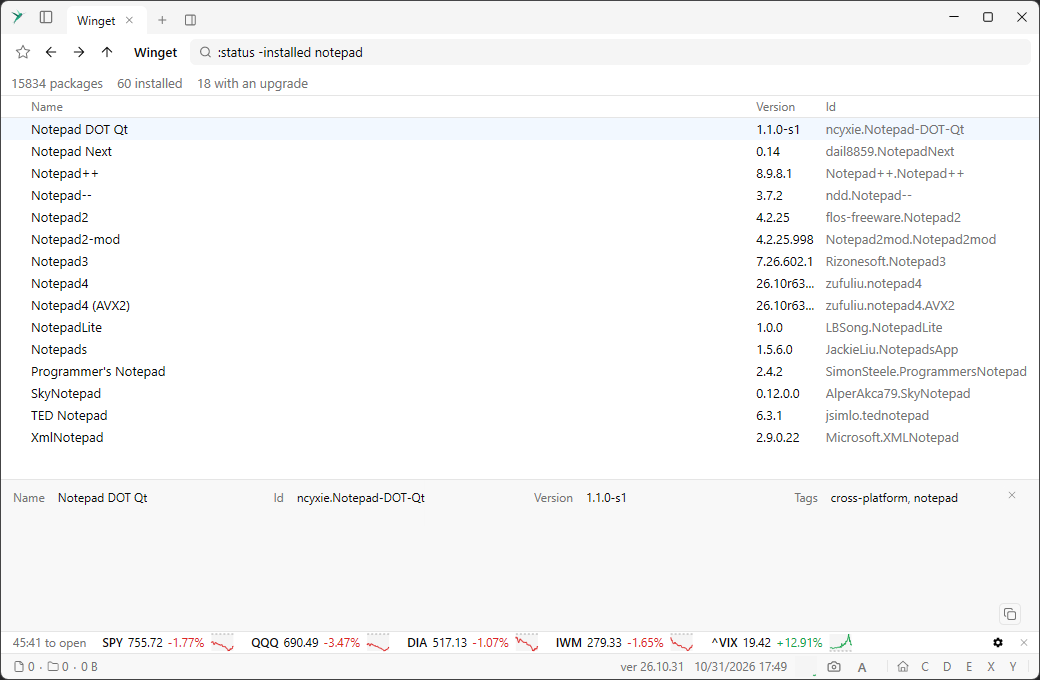
Stocks
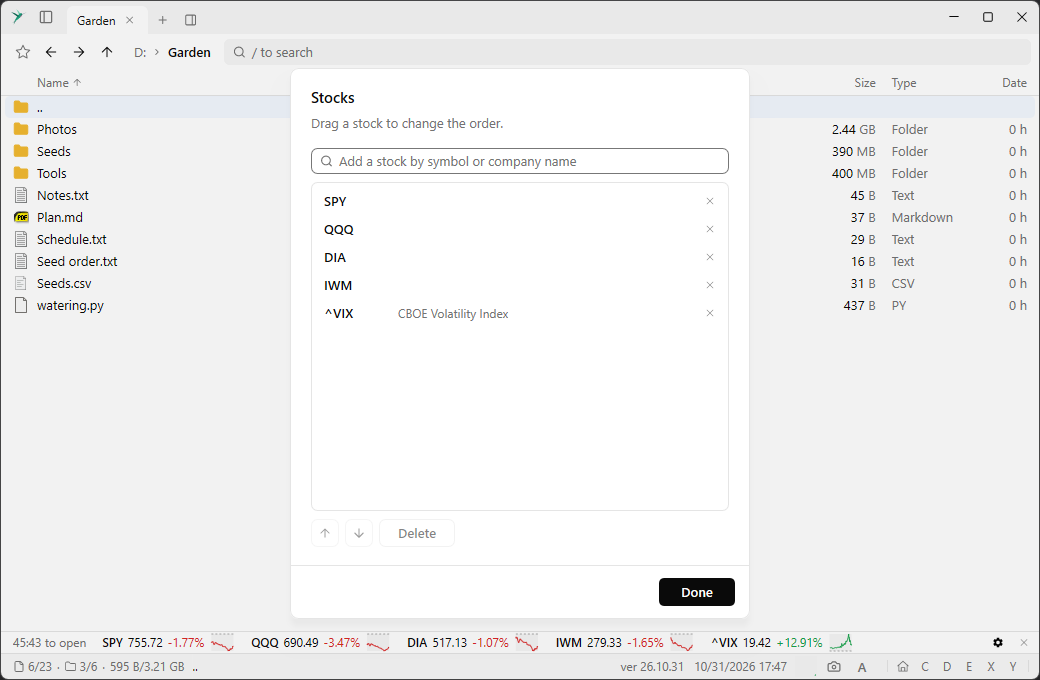
Stocks, in Places and as Show Stocks in the command palette, is a panel of stock quotes: symbol, a graph of today’s price, price, and the daily change in percent and in dollars. The top shows the time to the US market open or close. The panel docks like any other, so it can sit next to a file list.
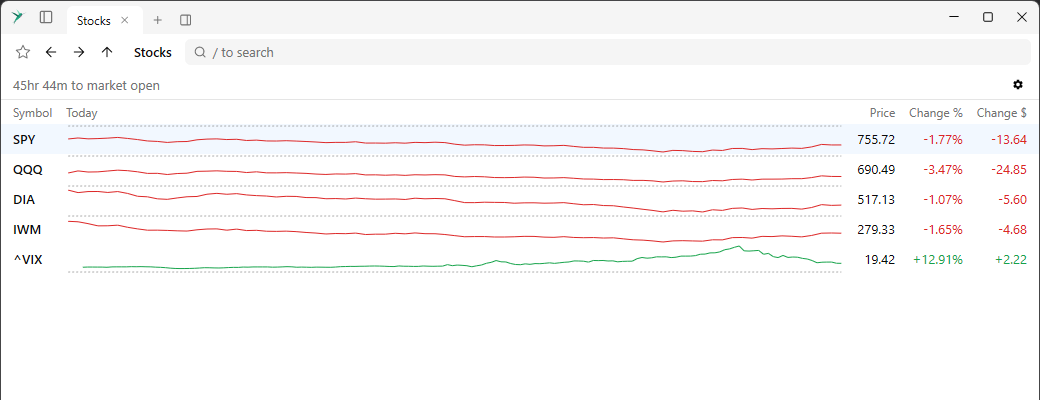
Choose the stocks to watch
The gear icon in the stock quotes opens a dialog to choose the stocks. Search by symbol or company name, drag a stock to change the order, or select one to move it with the arrow buttons or Delete it.
Search help
The filter box shows
? for help when focused. A leading ? shows the search syntax of the current list in a drop-down under the box: Processes, Connections, Registry and Winget each have their own :directives, and - negates one.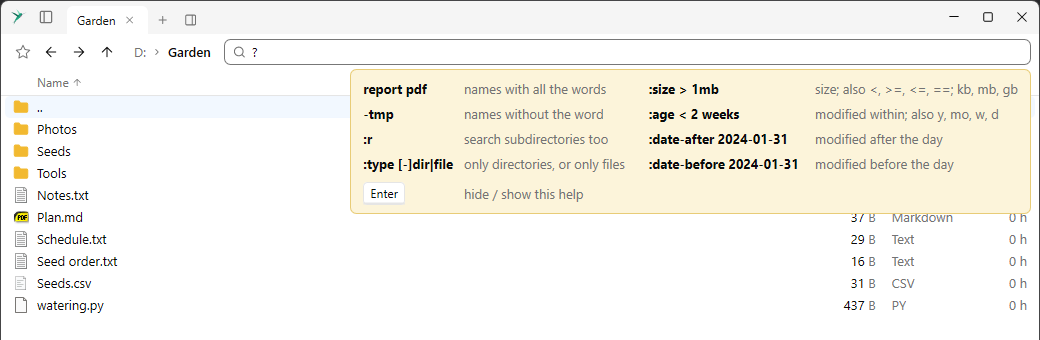
Startup Programs: folders, Enable and Disable
Startup Programs also lists the programs in the startup folders, and has a Starts column. The context menu has Enable or Disable, Open file location and Open registry.
Shortcut details
The preview panel shows what is in a
.lnk shortcut, for files and in Startup Programs. File information is laid out in several columns when there is room.Programs start in their own folder
An executable opened from the file list, or a
%PATH% program started from compact mode, starts in its own folder.