Registry browser
Registry, in Places and as Show Registry in the command palette, browses the registry like folders: keys are folders, values are rows with their value and type. The preview panel shows a whole value,
F4 edits it, and the context menu copies names, paths and values or goes to the same key under another root. The filter looks in names and values, and :r searches subkeys. reg:// paths work in favorites and on the command line.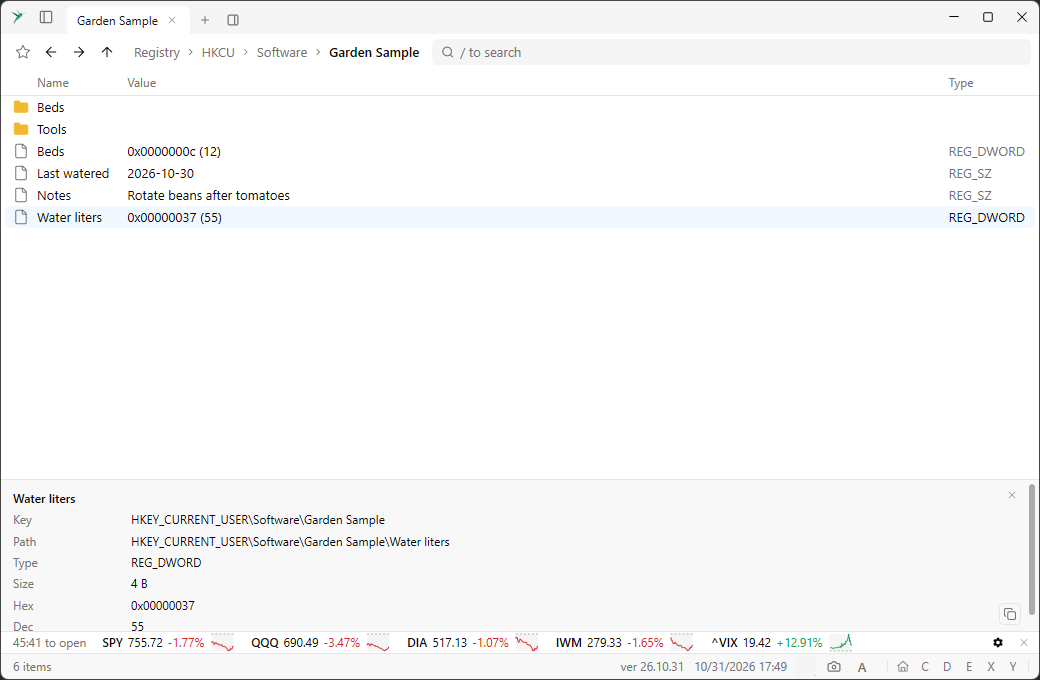
Copy and move to the other pane
With the window split into two panes,
F5 copies and F6 moves the selected files to the other pane, after asking. With more panes, the context menu has Copy files to and Move files to with the destinations. With one pane, F5 still reloads the folder.Context menu: Preview and Copy info
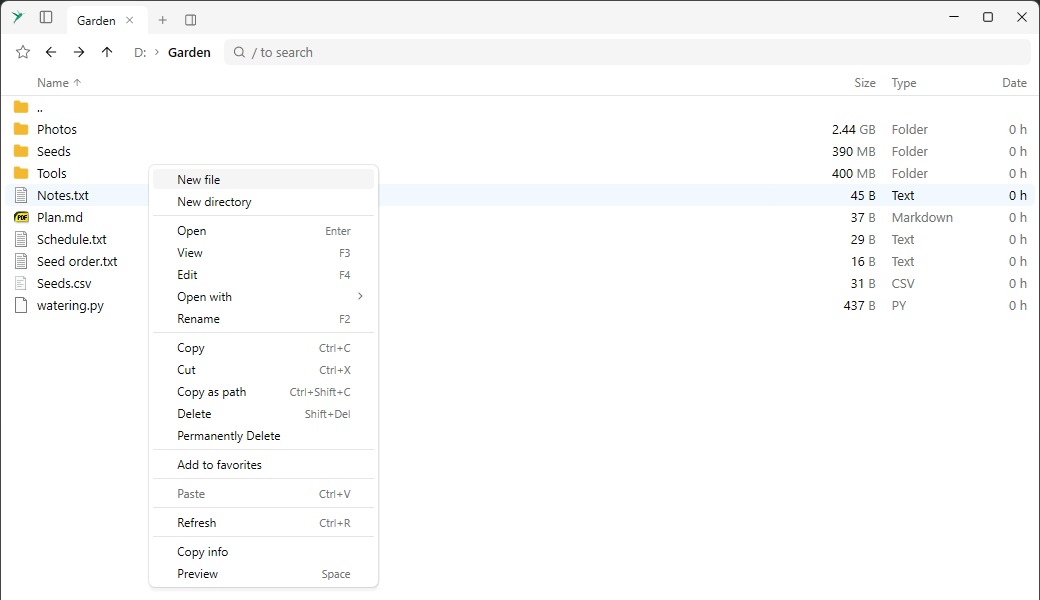
Context menus have columns for a check mark, the name, a right-aligned shortcut and a sub-menu arrow. Preview toggles the preview panel, and Copy info copies the same text as the panel’s copy button.
More in the preview panel
The preview panel has a close button and a copy button, shows details of
.exe and .dll files, and works in Clipboard History and Startup Programs.Folders reload when they change
A folder on a fixed disk reloads by itself when something changes in it.
The hummingbird
A hummingbird replaces the app icon in the caption, and flies back and forth while an operation such as a recursive search is running. Click the one in About and it flies away.
Copy notification says what was copied
The notification after a copy to the clipboard shows the text that was copied.
Choose the UI font
The
UiFontName setting changes the font of the whole app. Its list offers the standard Windows and monospace fonts first.