Enter or a double-click on an archive shows it as a read-only folder: .zip, .rar, .7z, .tar, .cab, the comic book formats .cbz, .cbr, .cb7 and .cbt, and compressed tars such as .tar.gz, .tgz and .tar.xz.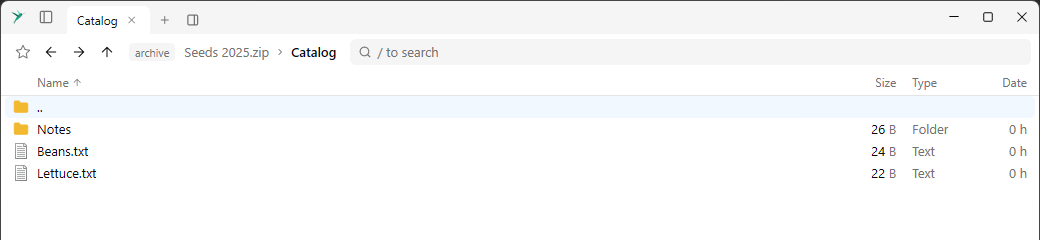
The path bar shows archive, the name of the file and the path inside it. Going up from the top level returns to the folder the archive is in, with the archive selected.
Nothing in an archive can be renamed, deleted or added.
Creating an archive #
Alt + F5 or Create archive in the context menu puts the selected files and folders in a new archive: .zip, .7z, .tar, .tar.gz, .tar.bz2, .tar.xz or .tar.zst. The extension in the Name field decides the kind, and the buttons below it change the extension. Folder starts as the other pane’s folder when there is one other pane, otherwise as the current folder, and it can be an online location.If the name is taken, you can replace the file, keep both or skip. A file that can’t be opened is left out and the message says so. If something goes wrong while writing, or you cancel, no archive is left behind.
The list of what is in an archive is kept for its path, size and modification time, so an archive is read once per version.