Toggle Disk Tree (
Ctrl + Shift + D) replaces the file list with a treemap of the folder, so you can see what takes up the space. Each rectangle is a file, sized by how big it is and colored by its kind. Press it again to get the list back.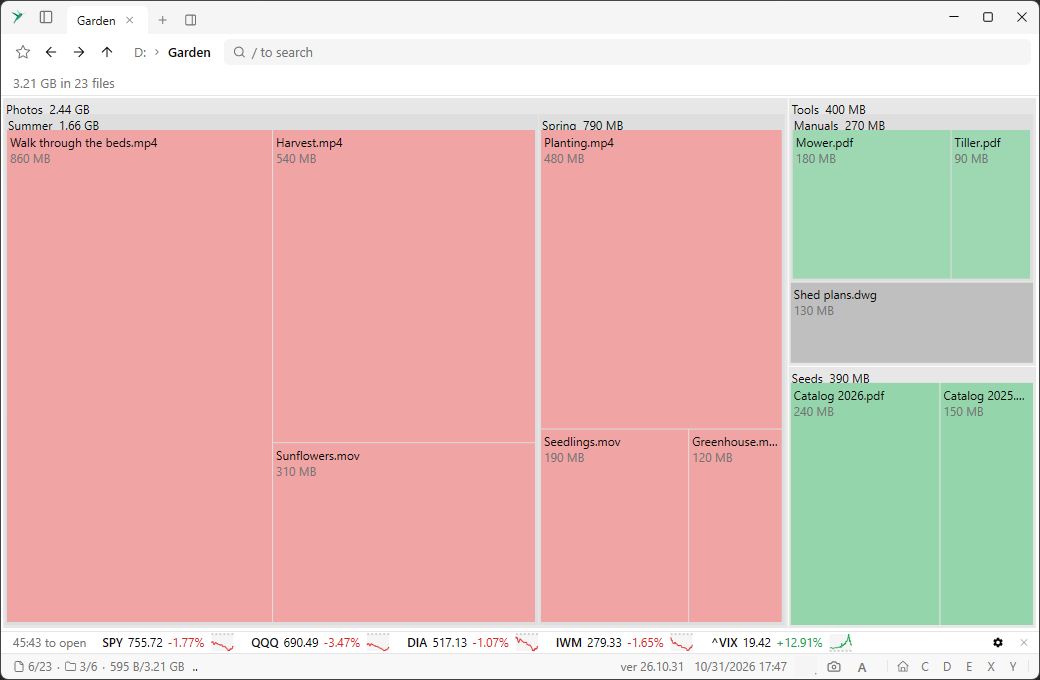
It works on every file system, including online storage.
- Arrow keys or a click select a rectangle.
Escclears the selection. Enteror a double-click zooms in.Backspacegoes back up.- Hover a rectangle to see its name, size and share of the total.
Zooming goes to that folder in the pane, so the path bar and the history follow.