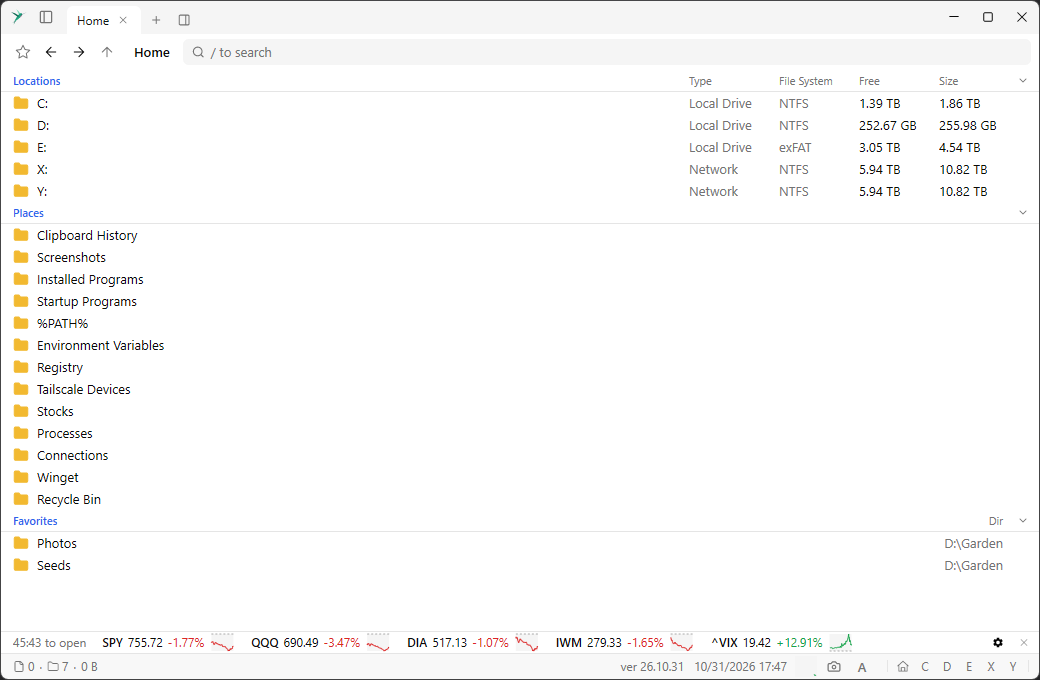
The home view has three sections, each with its own columns. Click a section header to collapse it. Locations lists this computer’s fixed and network drives and the remote connections, with each one’s type, file system, free space, and size. Places lists the built-in views. Favorites lists the folders pinned in Explorer’s Quick access and your own favorites, with the folder each one is in. Click a section’s header to collapse or expand it.
Open it with
Alt + Home, or go up from a drive root (Alt + Up or Backspace). It has no .. entry. Each row is a full path, so opening one jumps straight to that drive or folder.Quick access here is Explorer’s pinned folders. Favorites you toggle inside Sumatra File Manager are a separate list: see Favorites. When the view is narrow, the Locations columns drop one by one. Drag a favorite to change its order. The pinned folders keep Explorer’s order after them; dragging one of them into the list makes it a favorite of this app at that spot.