Ctrl + B, or the icon after the app icon in the caption, shows a sidebar with your locations, places and favorites, with a filter on top. The focus goes to the filter.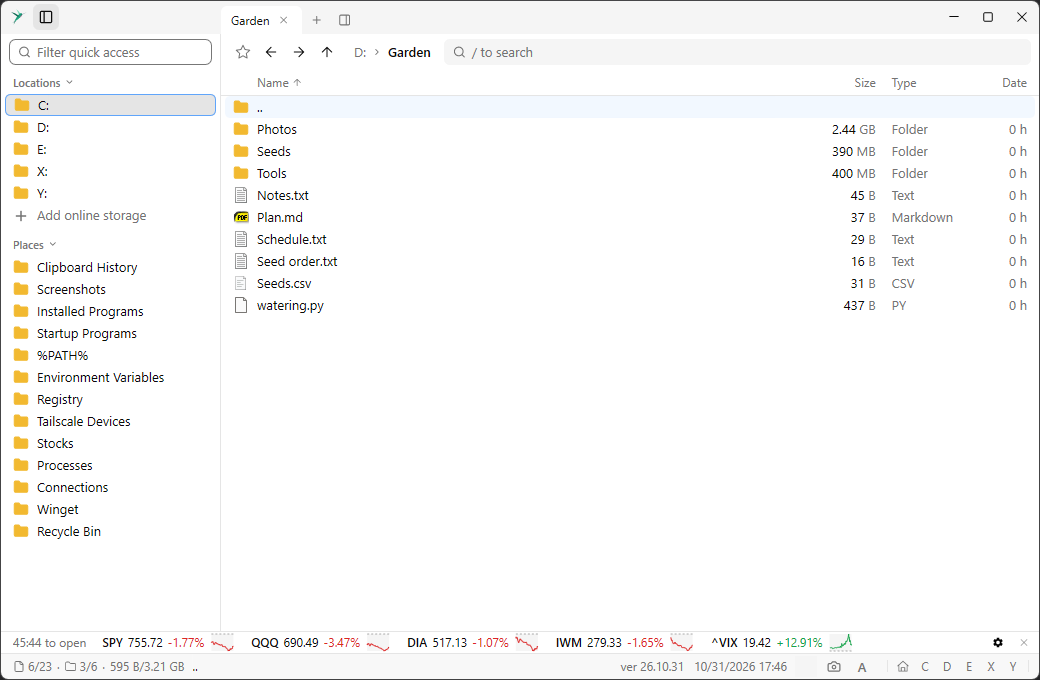
Type to narrow the list.
Up and Down move the selection, Enter opens the selected item in the current pane, and Esc leaves the filter. A click opens an item too.Click a section title to collapse it. A filter also shows the matches in collapsed sections. Drag the right edge of the sidebar to resize it.
Add online storage, at the end of Locations, connects online storage.
These are not the folders pinned in Explorer’s Quick access. See Home view.