Registry, in the home view’s Places and as Show Registry in the command palette, browses the Windows registry like folders: keys are folders, and values are rows with their value and type.
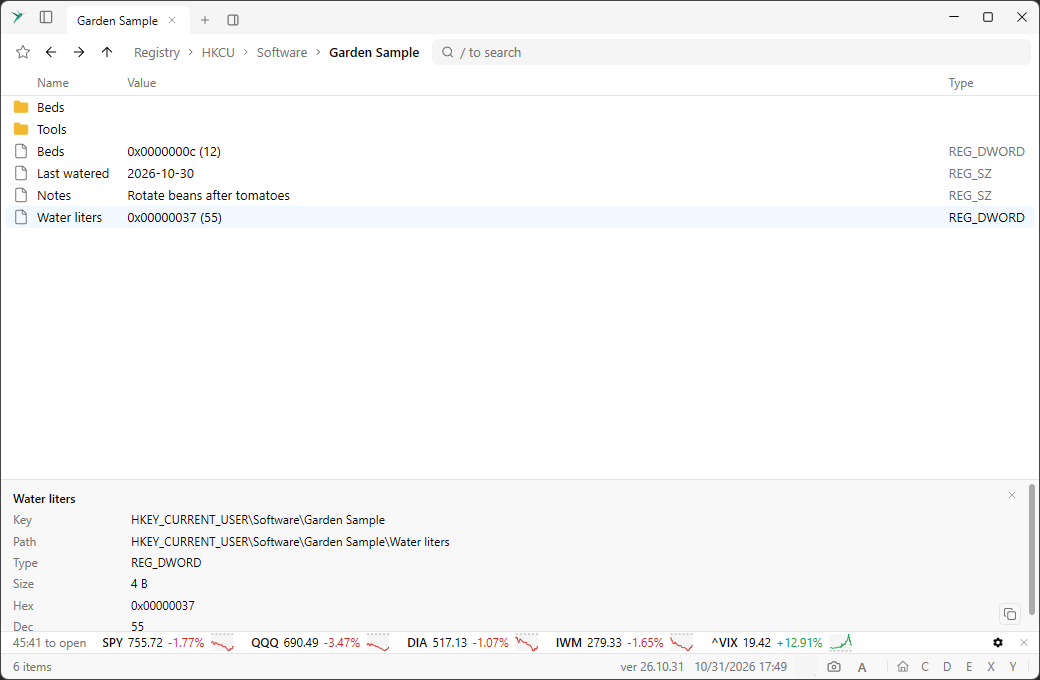
Enter on a key opens it. Enter or F4 on a value edits it in a dialog. The preview panel shows the whole value and its full path, and numbers in hex and decimal.The context menu has Copy name, Copy path, Copy value (Copy hex value and Copy dec value for numbers), favorites, and Go to matching HKLM or a similar item when the same key exists under another root.
Search #
The filter looks in names and string values. A number also finds
REG_DWORD values that are exactly that number, in decimal or hex, and exact matches come first. :r searches subkeys and :type key or :type value keeps only one kind. Type ? in the filter for the help.Paths #
A registry path is
reg://HKCU\Software\Example. It works in the path bar, in favorites and on the command line.