Clean PC, in the home view’s Places and in the command palette, deletes files you don’t need: Windows junk such as temporary files, logs, memory dumps and the thumbnail cache, the Recycle Bin, the caches of Chromium browsers and Firefox, and developer caches. Only the cleaners for what is installed are shown.
The list starts with the categories, each with how many of its cleaners are checked.
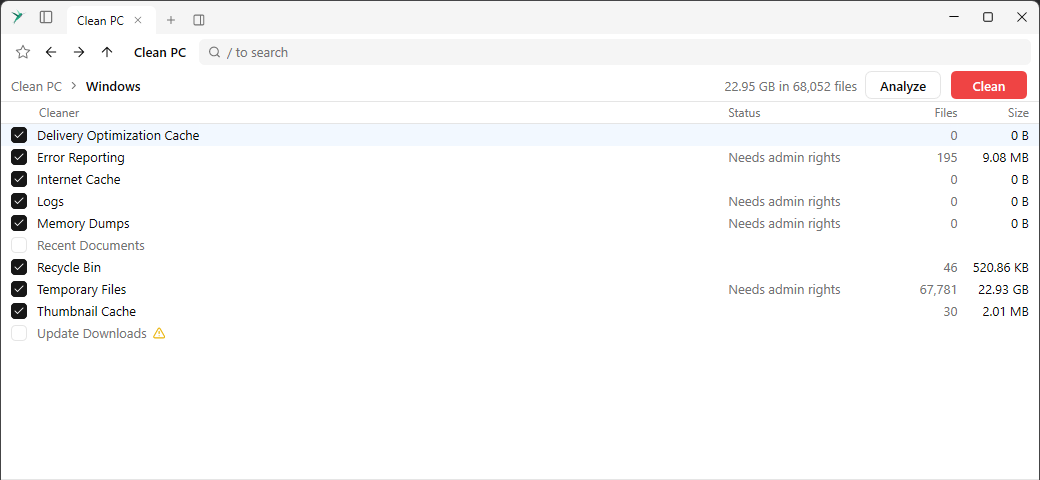
Enter on a category lists its cleaners, and Enter on a cleaner lists the files it found. The check box of a row turns it on or off; a category turns all its cleaners on or off.- Analyze goes through the checked cleaners and shows how many files each one would delete, and their size. Nothing is deleted.
- Clean deletes them, after asking. Stop stops either one.
- A cleaner whose files need administrator rights says Needs admin rights; Restart as Administrator runs the app with them.
- Get winapp2.ini downloads winapp2.ini, which adds about 4,000 more cleaners for other programs.
The preview of a cleaner shows its status, whether it is checked by default, and whether it is built in or comes from winapp2.ini. While Clean PC works, the computer doesn’t go to sleep.