Browse in the context menu of a program or library (
.exe, .dll, .sys, .ocx, .cpl, .efi, .mui and others) shows what is in it, as System Informer’s PE viewer does. For a file that doesn’t run, such as a .dll, Enter browses it and Open gives it to Windows. For a program, Enter still runs it.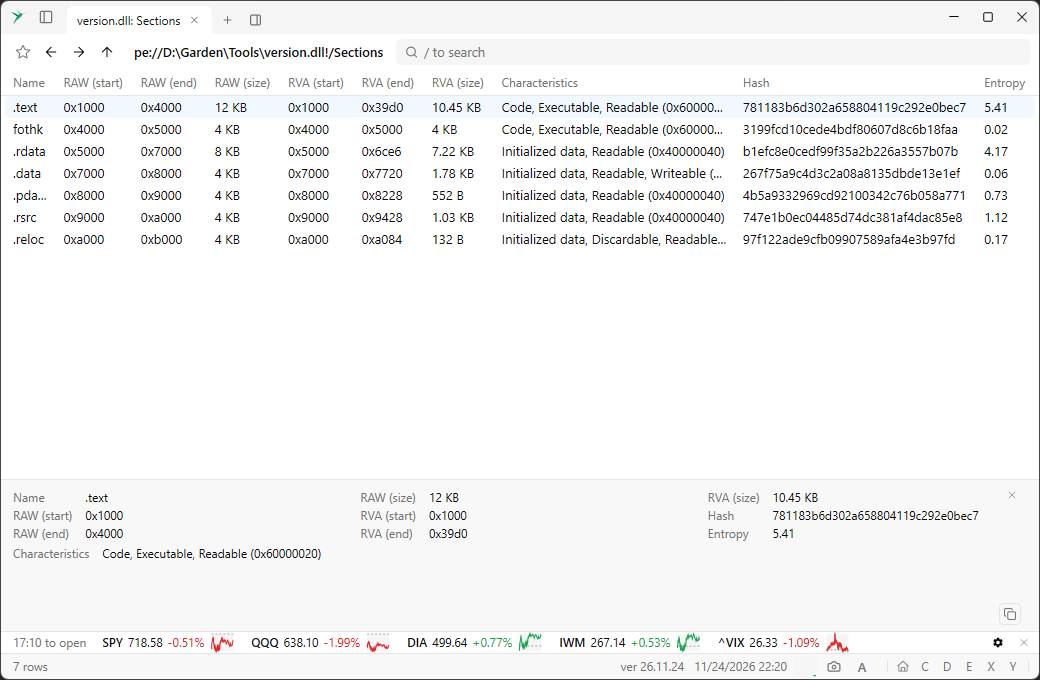
The top level lists the pages;
Enter opens one and going up returns to the list, then to the folder with the file selected:- General: description, company, version, target machine, time stamp, entry point, checksum, subsystem, characteristics, file times and debug information
- Headers: the DOS header, DOS stub, file header and optional header
- Load config: the load configuration directory
- Sections and Directories: where each one is in the file and in memory, with its hash and entropy
- Imports and Exports: functions, with hints, ordinals and forwarded names
- Resources: type, name, language, size, hash and entropy of each resource
- TLS: thread local storage callbacks
- ProdID: the tools that built the file, from its Rich header
- Exceptions and Relocations: the function table and the base relocations
- Properties and Streams: the file’s shell properties and NTFS streams (Windows only)
- Hashes: CRC32, MD5, SHA-1, SHA-256, SHA-384, SHA-512, imphash and Authenticode hashes
- Version: the version resource
Each page has its own columns. Typing in the filter keeps the rows with every word in some column and highlights the words. The preview panel shows the whole of the selected row, and Copy in the context menu copies the selected rows.